It’s been a while since I posted the last development update. Since then, a lot has been happening behind the scenes. I was close to finishing the native iOS app, but Smule rolled out Cloudflare protection across their entire website, which now prevents third-party apps and websites from fetching any data. While this is intended to block bots, it also negatively impacts scripts that rely on accessing the webpage to retrieve information.
This is also the reason why Sownloader Web is no longer working. Unfortunately there is nothing I can do about this right now.
Therefore, I have canceled the native app approach and started working on a different solution. The only reliable way to fetch performance details now is to initiate the process through the official website. But how do we do this? It turns out this can be achieved with a simple browser extension that injects additional features into the page.
I already got a working prototype for Google Chrome.
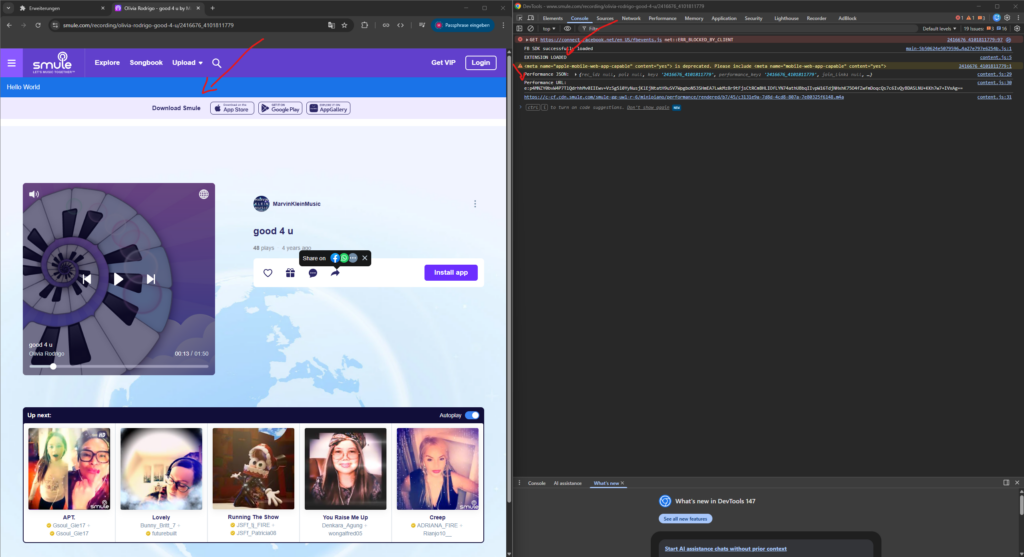
As you can see, it injects a blue bar into the Smule website and already fetches the performance data, along with the download link.
In addition, I already have a working prototype for Safari, which works on both macOS and iOS.
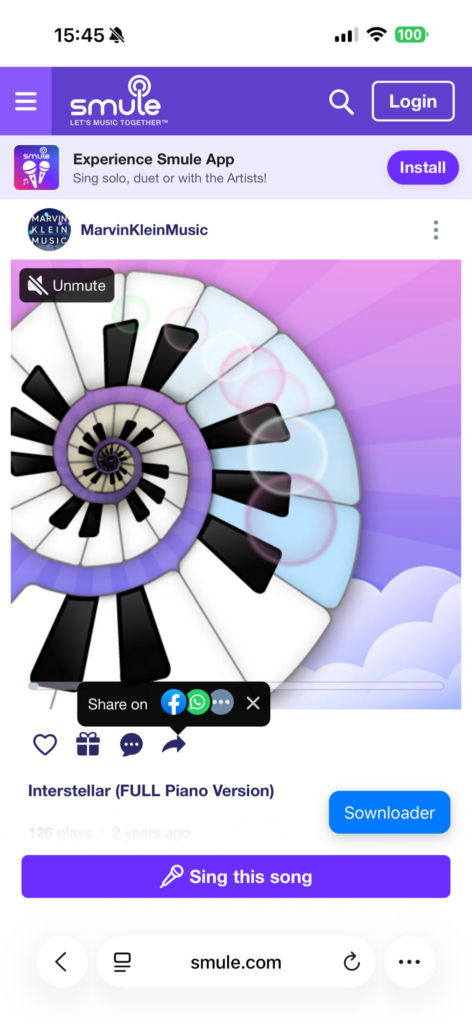
Here you can see that the extension injects a floating Sownloader button into the webpage. When you click on it, it starts fetching the performance data and lets you download your performance as audio or video.
I’m planning on releasing official extensions for all major browsers:
- Google Chrome
- Edge
- Mozilla Firefox
- Safari
I wasn’t able to test it on a real Android device yet.
-Marvin

Leave a Reply