Blog

  • Update on donations and future roadmap

    Hello everyone,

    First of all, I hope you all had a wonderful Christmas.

    In this blog post I want to give you an update about all donations we have received from you. In my opinion, it is your right to know how much money we have collected and what we have used it for.

    In total we received 150,74$ from 12 different people. Thanks to all of you who donated throughout the last 2 months. This means a lot for me. Without you I would not be able to continue this project. I know that there are alternatives for Sownloader. However, in my opinion, these are not up to Sownloader’s standards. Many of them have so much advertising that the download button is completely hidden. Others are too difficult to use. Last but not least, MP3 downloads are not yet available at any other service.

    I have deposited enough money to pay the server for the next 3 years. Furthermore I have extended services which are required for this project as well, such as the domain name.

    What’s next in 2020?

    Now I want to talk a little bit about what is coming in 2020. As many of you know, we launched MP3 downloads in Sownloader Web back in August 2019. Since the lauch we registered over 50,000 MP3 downloads on our website.

    I know that the MP3 downloads are not perfect yet. For example, there is no indication of the current progress of the conversion yet. So this is the first construction site for 2020. Next I would like to further simplify the layout of the start page. Also a revision of the blog is still pending. I would like to get away from WordPress and implement a small solution myself to keep you up to date. This would reduce the administrative effort again, because the blog has to be maintained regularly.

    Unfortunately I don’t have as much time this year as before due to final exams. Therefore I think that I will not be able to cope with these things myself this year.

    What about Sownloader for Windows?

    As some of you might know, there is native application for Windows 7 or later. The last update for this one was publish back in March 2019. Perhaps you are wondering what has happend to this version. The answer is simple. I don’t know what else I could add to improve the version. It works as it should. If you have any feedback about missing features or bugs then do not hesitate to contact me via email (support@sownloader.com).

    I will say a good night to you and wish you all the best for 2020.

    🥂

    Best,

    Marvin Klein

  • Current status

    Hello everyone,

    as some of you might have noticed, our website is currently unavailable. In this blog post, I want to give you an update about the current situation and explain why we are offline.

    On friday, various website owners have contacted our provider to inform them about an ongoing brute-force attack. Hackers use brute-force as a method to login into other accounts by trying out every possible password combination. As a result, our provider has temporarily disabled requests to external websites for accounts with many external requests. Unfortunately, we’re also affected by this. This block remains in place until the situation has been examined by our provider.

    Without external requests, Sownloader is unable to detect the download URL for your Smule performances. As a workaround, you can still use our standalone software for Windows. You can download it for free here.

    I would like to take this opportunity to point out that Sownloader did not participate in any such attacks, let alone carried out an attack. We are only affected as a precautionary measure, as we perform thousands of external requests every day.

    It might take a few days until our web service will be available again. I expect a solution for this issue on monday or tuesday. Thank you very much for your patience and support.

    -Marvin

  • Introducing converting to Sownloader Web (BETA)

    I am pleased to announce that Sownloader Web is now able to download your songs as MP3 file as well. This feature was requested by many people and I finally found a solution to add it.

    Please keep in mind, downloading a song as MP3 takes much longer than usual. Depending on the filesize it can take up to a few minutes until the converting process has finished. Perhaps downloading as MP3 might not work for every performance. If you are facing any difficulties then feel free to send me an email with the performance link to support@sownloader.com

    Marvin Klein

  • Small website update

    Hey everyone,

    Today we have made several minor improvements to the website.

    What has been changed?

    • Data is now displayed in the correct country format.
    • The last 5 downloads are now displayed instead of the last 3 downloads.
    • The missing favicon icon was added
    • Missing graphics in the area MarvinKleinMusic Favourites have been added.
    • A possible XSS vulnerability has been closed.
    • The donation box was redesigned

    Best,

    Marvin Klein

  • Introducing Sownloader Web 3.0

    Hey everyone,

    today I want to introduce the new Sownloader Web version 3.0.

    Sownloader Web has been introduced back on the 16th October 2015. Since then many things have been changed within the last three years. There were many changes to the Smule website which needed to become adapted in all Sownloader services. With Sownloader 8 we successfully adapted those changes for all Windows users but we have not taken care of the Web version yet – until now!

    I am pleased to announce that Sownloader Web has been updated to the latest URL detection algorithms from Sownloader 8.

    What does this mean to Sownloader?

    With the updated algorithms we can react to changes on the official Smule Website much faster. The old algorithms have used something called regular expressions to detect any detail we need from the Smule website. Those were specific to the audio url, video url, title, cover art and message from the performance. If Smule has changed something in their code, we had to update all of those information in order to keep our service running.

    Now we are using regular expressions to detect the entire performance data at once. This data is stored as a JSON file which allows us to easily get all information we want.

    Keep in mind that Sownloader can only detect the download link if the performance has been heard at least once on either the Smule website or any Smule App.

    If you encounter any problems with Sownloader Web, conact us and add the performance URL to the message.

    support@sownloader.com

    Best,

    Marvin

  • Announcement about Sownloader development

    Hey everyone,

    since the introduction of Sownloader back in 2014, people have continuesly asked about Sownloader for macOS and iOS. Over the time, I have added the Sownloader Web service to reach out people on macOS, iOS, and Android.

    With Sownloader Web you were able to download all your songs from Smule with every device that has access to the internet. Although Sownloader Web has been a complete success since it’s launch, it’s functionality was limited, e.g. you are not able to convert your files with Sownloader Web yet.

    Today, I am pleased to announce that the original Sownloader experience is coming to macOS and iOS soon. Because of all of your amazing support within the past four years, I was able to get a cheap Mac to develop for iOS and macOS. Moreover, the Sownloader Web service will get an update this weekend with the new URL-Detection engine from Sownloader 8.

    The development for iOS starts at the end of this week. The macOS version will follow once the iOS version has been published. Both versions of Sownloader will be written in Swift.

    Stay tuned for more information!

    Best,

    Marvin Klein

  • Introducing Sownloader 8

    Hey everyone,

    finally it is time to share the latest news about Sownloader with all of you. Since my last blog post I got an answer from Smule according to the issues with Internet Explorer (IE).

    Here is what they said:

    Thanks for contacting us! We suggest trying other web browsers, such as Firefox or Google Chrome. […] We’ll bring it all up with the appropriate team. We can’t promise anything will come of it, however it will certainly be considered.

    So it is not impossible that this issue will get fixed in the future but it is definitely not on high priority. They suggested to use another browser instead of IE. That is exactly what I do in Sownloader 8! Honestly, who wants to use the IE? From now on Sownloader uses the great GeckoFX engine from Firefox!

    Introducing Sownloader DarkTheme

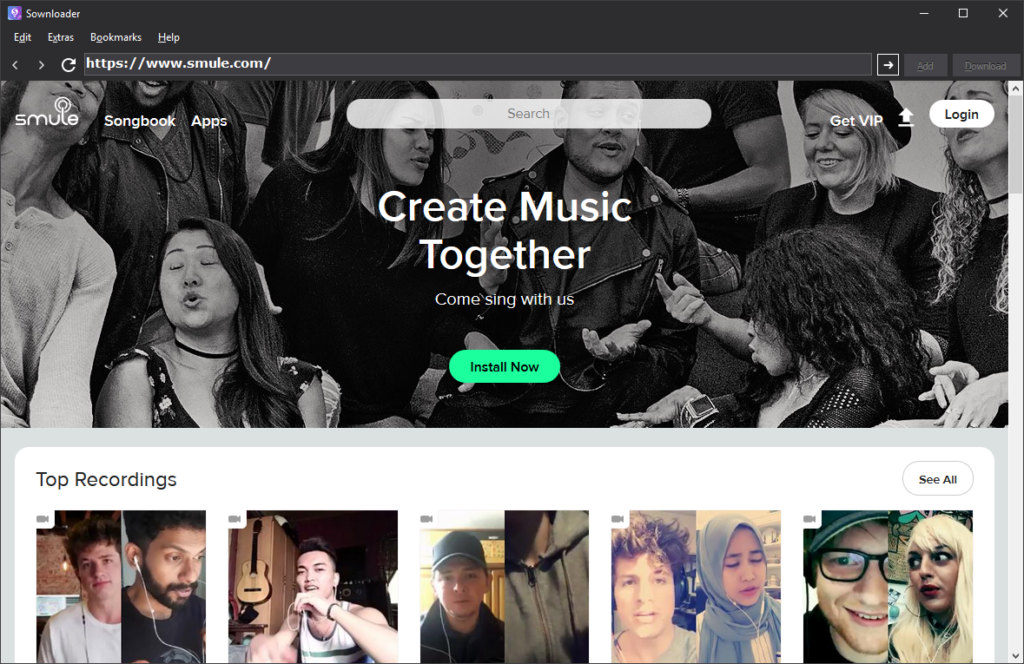
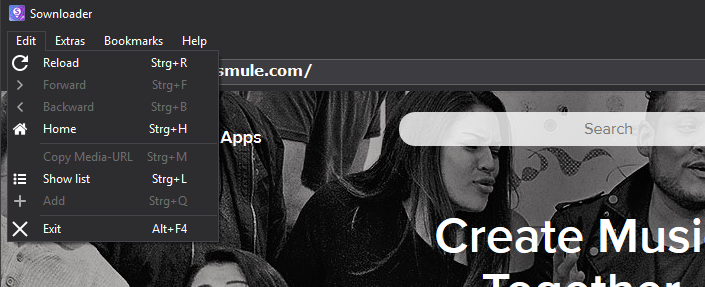
    In addition to the GeckoFX engine, Sownloader comes in an all new stunning dark theme. Here is what it looks like:


    The dark theme looks just stunning. It is perfect to browse through your media at either day or night time. Moreover Sownloader is now completely resizeable!


    Get rid of old stuff

    I decided to remove some stuff of Sownloader for a good reason.

    1. It was not used by many users
    2. It caused many problems with several different aspects
    3. The code was out-dated

    Which features were removed?

    • Setting to delete temporary files -> Sownloader will do this automatically now.
    • Setting to set the current year as default ID3Tag -> Sownloader will do this automatically now.
    • The button to open appdata in settings -> config.ini is now saved in the applications default path
    • Switch for ID3Tag settings -> the ID3Tag popup will now be default -> can be turned off in the settings
    • Options for network access -> Sownloader uses the default connection of your system
    • Supdater

    Instead of the old Supdater, Sownloader will now use an all new update mechanism which is much easier to handle. In addtion to this I am able to add more security for update files in the future much easier.

    Important information

    Sownloader has been completely rewritten in C#. This means that there might be some bugs at some places. I will fix them as fast as possible if you inform me about the bug via email.

    support@sownloader.com

    Download

    You can download the latest version of Sownloader for free right here.

    Changelog:

    [General]
    + Added GeckoFX 45 Core to Sownloader -> Sownloader is not longer based on Internet Explorer, now it uses Firefox.
    + Sownloader has been completely rewritten in C# instead of VB.NET
    + Sownloader URL search engine 3.0
    + Added ALT related shortcuts to buttons and menus
    + Added FFMpeg 3.4
    + Added Mozilla Public License
    + Added new MarvinKleinMusic favourites
    + Added new update mechanism
    + Added history suggestions back to the address bar
    + Added “Send feedback…” to Help Menu
    + Added “About Sownloader 8” to help menu
    ~ Renamed “?” to “Help”
    ~ Adjustments to the config class
    # Fixed an issue with finding video urls
    # Fixed an issue with video files which are too big
    # Fixed an issue with converting when the file path contains a white space
    # Fixed an issue which caused Sownloader to detect the wrong performance URL
    # Fixed that Sownloader was not able to download on computers, where the webclient is blocked by default
    # Fixed “ding” sound by pressing enter in the address bar
    # Fixed wrong animation for reloading a webpage
    # Fixed blank Smule website
    # Fixed an issue with invalid album cover art URLs
    – Removed setting to delete temporary files -> Sownloader will do this automatically now.
    – Removed setting to set the current year as default ID3Tag -> Sownloader will do this automatically now.
    – Removed the button to open appdata in settings -> config.ini is now saved in the applications default path
    – Removed switch for ID3Tag settings -> the ID3Tag popup will now be default -> can be turned off in the settings
    – Removed options for network access -> Sownloader uses the default connection of your system
    – Removed Supdater

    [Design]
    + Introducing Sownloader DarkTheme
    + Sownloader is now 100% resizeable
    + Tag Editor is now resizeable
    + Added new icons which fit into the new DarkTheme
    + Added color for disabled buttons


  • Important information about Sownloader

    Hey everyone,

    today I want to share some important information about the Sownloader service with all of you. According to a bug on the official Smule website, Sownloader is no longer able to find any performance URLs. Right now their page is not compatible with any version of the Internet Explorer. All versions of Sownloader – except for the very first one – use the Internet Explorer as browser engine because it was built in Visual Studio (the development environment).

    The main problem on Smule’s website is some incompatible JavaScript, which works fine in other browsers, but Internet Explorer cannot handle it.

    I spent the last week on working for a patch to fix this issue. In the future Sownloader will no longer use the default Internet Explorer. Instead Sownloader will work with a built in Firefox engine (GeckoFX). This big update will be available within the next week. There are only three major things that are not finished yet.

    Furthermore the update takes the Sownloader desktop environment to a whole new level. It will feature a brand new design, tons of bugfixes, and many more improvements. Most important is the switch of the coding language from VB.NET to C#. You will not believe how fast this version is!

    Meanwhile you can download all your media with the Sownloader Web service. If you need your performances as mp3, you can convert them afterwards with the built in converter in Sownloader. You can find the converter in Sownloader right here: Menu->Extras->Converter.

    Bye,

    Marvin

  • Sownloader design sneak peak

    In this post I’d like to give you a small sneak peak of the upcoming Sownloader 8 release.

    The original Sownloader was released on 13th October 14 and it has changed many times in functionality in the past but not really in design – except for some small graphic and icon updates. Since the first release I have been using just the default components of Microsoft’s Visual Studio to create the entire software. Luckily I started my apprenticeship just one month ago. Since then I have learnt many new things about the usage and customization of these controls in Visual Studio. I decided to deepen what I’ve learnt so far, so I started working on a code revision of Sownloader and a personal customized theme for it.

    All versions of Sownloader, except the Web version, are coded in VB.NET. I am working on a revision of the code in Visual C# because it grants the user more speed in performance , and because the syntax of C# is much easier to understand. Take a look at the first screenshot of this development with the new dark theme for Sownloader.


    Moreover I’m working on a new update for the official Sownloader website and this blog. More information about this is coming soon! I can’t wait to show you more!

    -Marvin Klein

  • Sownloader 7.2 is now available!

    Hey everyone,

    another large update is now available for Sownloader. This major update improves many details in the code. Also it includes a new version of Supdater which is now able to get information from the Sownloader website. Moreover, the “MarvinKleinMusic favourite” was improved and we are now able to add new songs to it without any kind of software update. The new section is now hosted on http://sownloader.com/marvinkleinmusic-favourites and is also accessable for Sownloader Web now.

    Also, we added support for another karaoke app, called Yokee Karaoke. Go ahead and keep all your media files safe.

    Best,

    Marvin

    Full changelog:

    [General]
    + Added support for Yokee Karaoke
    + Added converting support for Yokee Karaoke
    + Added Taglib# support for Yokee Karaoke
    + Added new “MarvinKleinMusic favourites” section
    ~ Updated Sownloader width for new MarvinKleinMusic favourites section
    # Fixed wrong animation for reload button

    [Supdater]
    + Added Supdater 1.3 to Sownloader
    + Added Sownloader User-Agent to Supdater
    + Added server connection to Sownloader.com for statistic purposes
    + Added version search to Supdater
    + Added control for Sownloader BETA (coming soon!)
    ~ Server URLs to SSL